

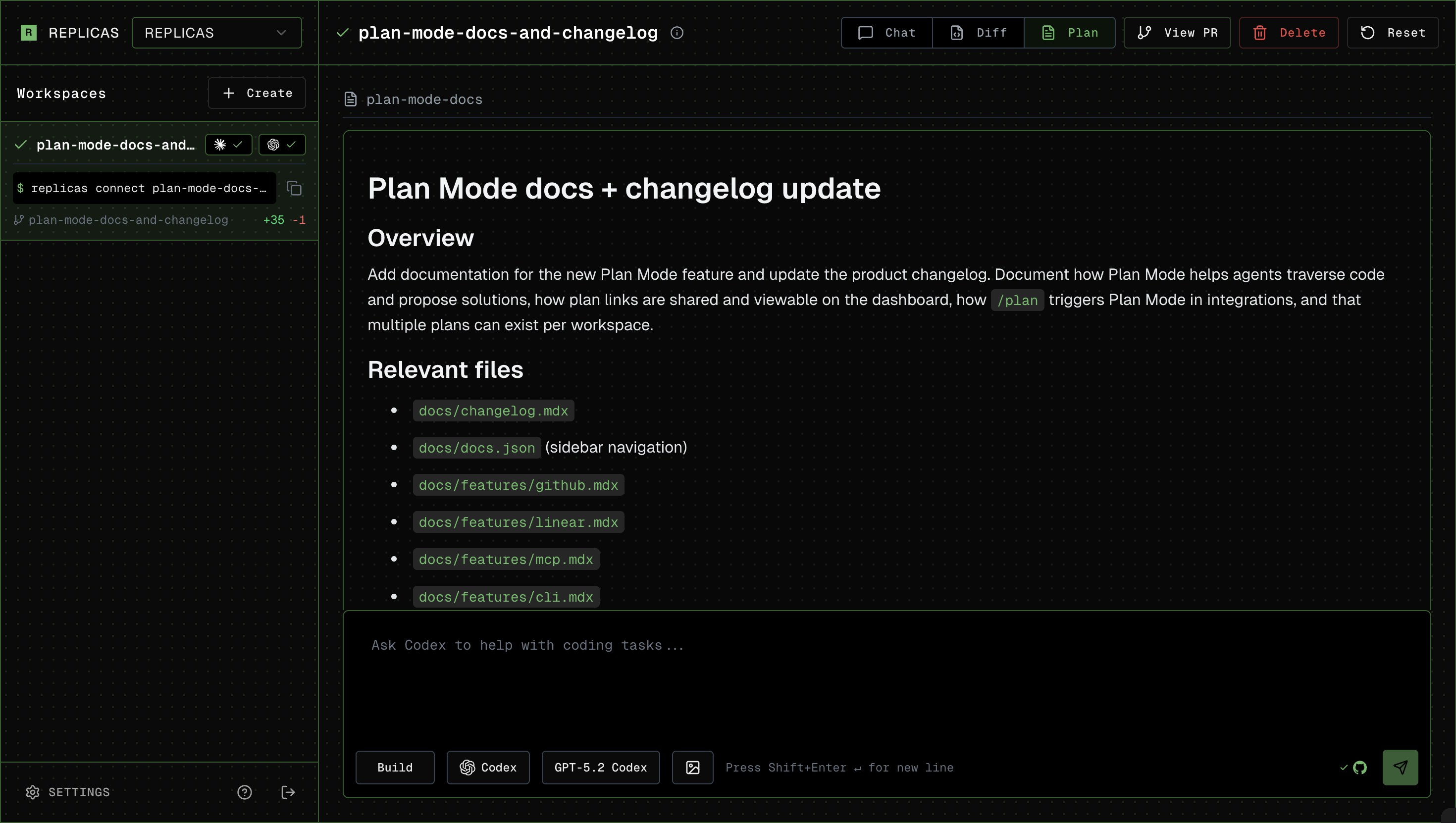
How to use
- Start your message with
/plan(in the app, click Plan or pressShift+Tabin the prompt to toggle) - Agent returns the plan. If using from GitHub or Linear, the agent will provide a link for you to review the plan.
- Answer potential clarifying questions, or tell it to go ahead!
View plans in Canvas
Plan Mode markdown plans show up in the Canvas tab of the workspace sidebar. The agent’s live task checklist appears in chat as it is updated. Each Canvas item gets a type pill:Plan for markdown, Diagram for Mermaid, Page for HTML, Text for common text formats, Image for supported images, PDF for PDFs, and Video/Audio for media. Click any item to open it in the sidebar, beside the conversation. Canvas discovers plans in Claude Code and OpenCode’s native plan directories, plus files agents place in ~/.replicas/canvas/. When Claude Code asks to start implementing, its prompt includes a View plan button that opens the plan in Canvas. Codex plans appear as a View Plan button in chat. Click it to open the plan in the sidebar with formatted Markdown, raw source, download, and selection comments. Cursor native plans and live task checklists appear in chat.
Copy and download plan contents
When viewing a plan, the header has a Copy button (copies the markdown to your clipboard) and a Download button (saves it as a.md file).